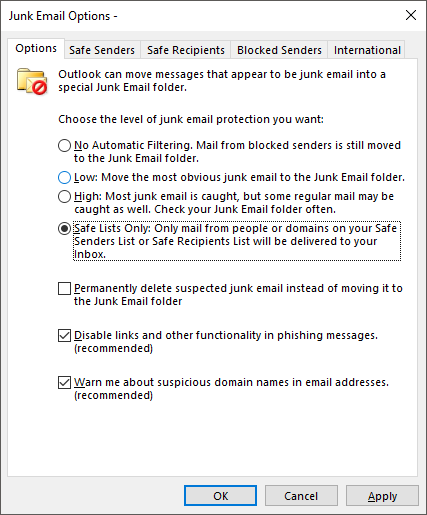
Corrupted Outlook files are a common cause related to Outlook. To rectify/repair it, Microsoft has provided an inbuilt utility called Scanpst.exe. Follow the steps below to disable Outlook’s compatibility mode.
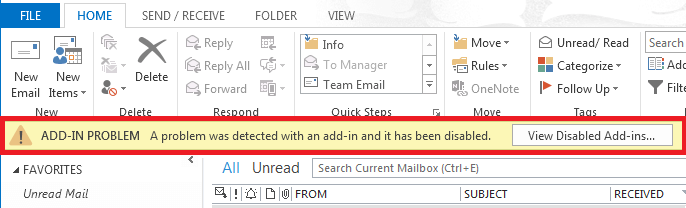
Method 3: Disable the Add-Ins of Outlook
How do I fix Outlook stuck on loading profile?
You can follow the steps below to reset, but before starting, ensure that Outlook is not open. I'm having an issue with one Outlook 365, the program open and get stuck at loading the user profile, any profiles. Outlook won’t work correctly and will not be able to load the profile screen if its files are corrupted. These files can be repaired through an inbuilt program in the Outlook installation directory.
Outlook won’t open or is stuck at loading profile
The same applies to the situation whenever Outlook stuck on loading profile. When you face issues related to the Outlook profile stuck on loading, there might be some hardware issues. So, make sure you turn off the hardware acceleration option in Outlook. Follow the steps below to reset the navigation panel and fix the loading profile issue.
Method 7: Create a New Outlook Profile
Further, start the application again to check if the error has been fixed. The software provides options to split the resultant PST file. You can set the size for the PST file, and the software will split it after recovery. Ask a question and find solutions from Support Agents, MVPs, Engineers, and Outlook users. These communities can provide additional support and insights if the above solutions do not work. A vast community of Microsoft Office365 users that are working together to support the product and others.
MAILING ADDRESS
In that case, using a professional tool comes to your rescue. After performing the steps, check if the error persists. On June 25th, 2019, the Outlook Team made a change to the service to fix this issue. If you are still seeing this issue, restart Outlook a couple of times so it can pick up the service change. This software also allows to recover Lost Attachments Edited from Outlook.
Method 6: Disable Outlook’s compatibility mode
- Now, that you know the reason for the Outlook Profile being stuck, it should be easier to choose the right methods to fix the issue.
- The tool is efficient and saves a lot of time for the user.
- Sometimes, Outlook might not work if other Office-related processes are still running.
- If you are still seeing this issue, restart Outlook a couple of times so it can pick up the service change.
- Connect with experts, discuss the latest Outlook news and best practices, and read our blog.
- A vast community of Microsoft Office365 users that are working together to support the product and others.
- The software provides options to split the resultant PST file.
- With the demo version itself, you can recover and see the recovered data.
Connect with experts, discuss the latest Outlook news and best practices, and read our blog.
One such issue is when you are stuck on loading your Outlook profile and the set of folders cannot be opened. It’s too frustrating because you can’t even use the app and find out what’s wrong with it. While doing your work on Outlook stuck on loading profile? It’s a common error encountered by most MS Outlook users. We are here with most legitimate methods to fix this issue before moving ahead to the solution. In this blog, we have discussed different ways how
Outlook repair with FixTechGuide you can fix if your Microsoft Outlook stuck on loading profile.

